
Appearance
Cart and Checkout
Mini cart
The cart icon in the header shows how many items are in the cart and opens the mini cart from the side of the screen. It lists the items with the newest first, their quantity and price, and the subtotal. Product options are folded under See Details to keep the list short, and each item can be removed with the trash icon. Buttons lead to the cart page and straight to checkout.
Cart page
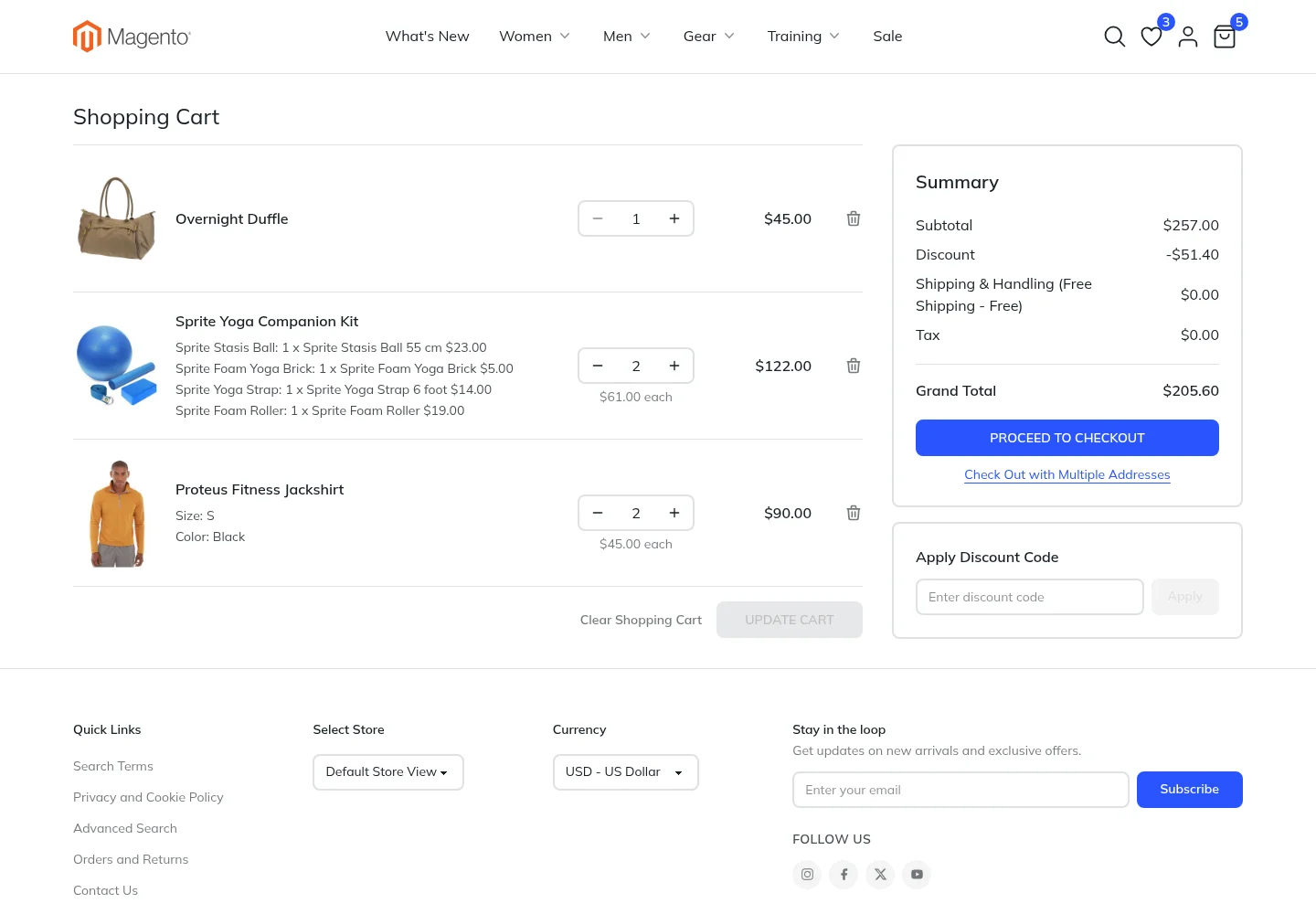
- Items are listed newest first, with a clear product image, the options picked, a quantity field with plus and minus buttons, the line price and a remove button. Changing a quantity enables Update Cart.
- Summary shows the subtotal, discounts, shipping, tax and grand total, followed by Proceed to Checkout.
- Apply Discount Code sits in its own box under the summary.
- Express payment buttons, such as PayPal, can be shown under the checkout button.
- Clear Shopping Cart and Check Out with Multiple Addresses appear when they are enabled in Magento.
Problems such as an item that went out of stock or a missing required option are shown on the item itself, using Magento's own messages.
Checkout
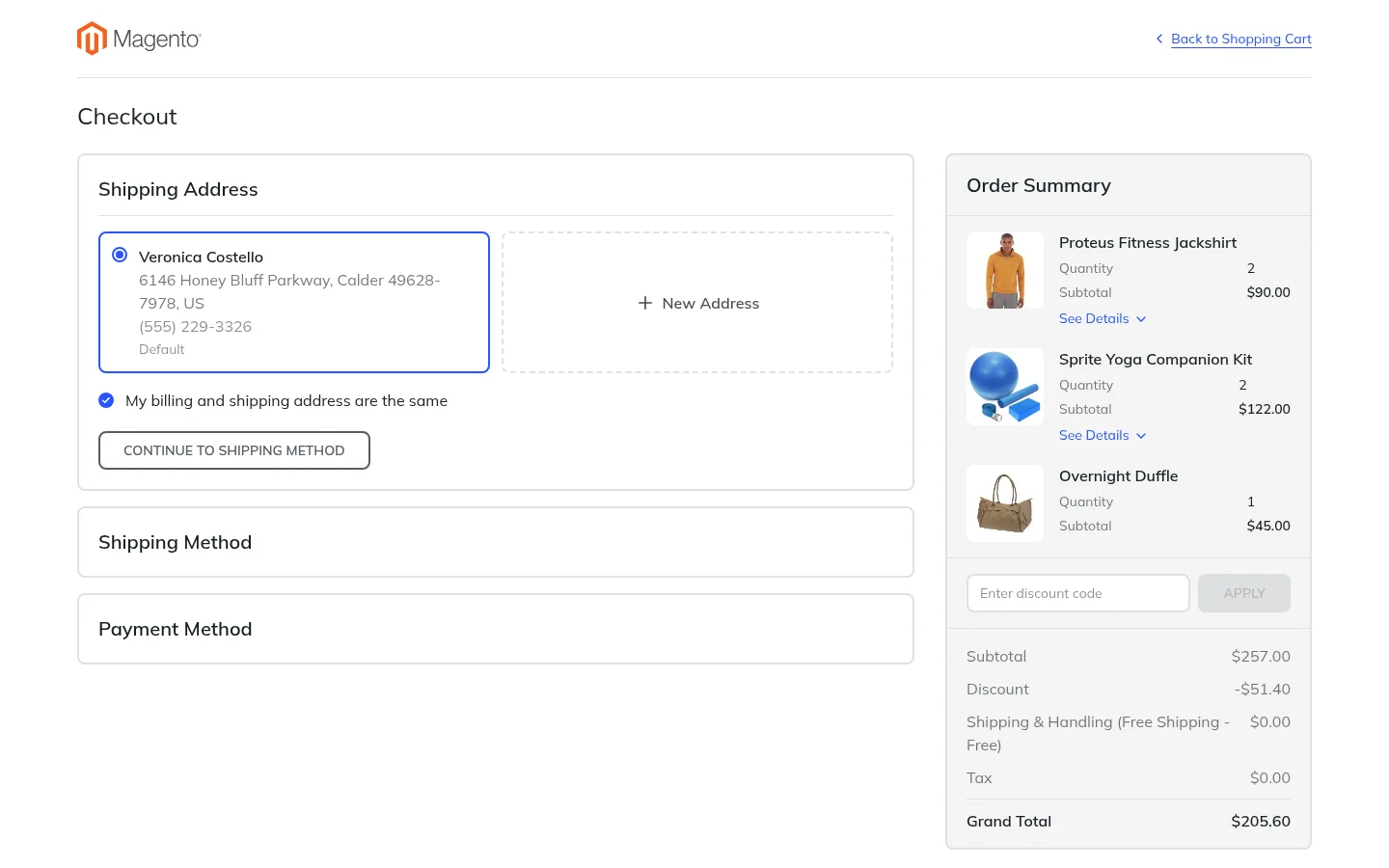
The checkout is a single page. The shopper moves through three steps while the order summary stays visible beside them:
- Shipping Address: customers pick a saved address or add a new one, and guests enter their email and address. The billing address can be the same or different.
- Shipping Method: the rates from your enabled carriers for that address. With in-store pickup enabled, shoppers can choose a store instead.
- Payment Method: the payment methods you have enabled, and the button that places the order.
The Order Summary lists the items with their options under See Details, a field for a discount code, and the totals. On phones it folds into a bar that shows the grand total.
The checkout keeps its own simple header with your logo and a link back to the cart, so shoppers can focus on finishing the order. Its scripts are fingerprinted so the browser blocks any file that was tampered with, which helps with PCI DSS 4.0. See Script protection on the payment page.
Payment methods
| Kind | Methods |
|---|---|
| Offline | Every offline method you enable in Magento, such as Check / Money order, Bank Transfer, Cash On Delivery and Purchase Order |
| PayPal | PayPal Express Checkout and PayPal Credit |
| Braintree | Cards, PayPal, Google Pay, Apple Pay, Venmo, ACH and local payment methods |
| Stripe | Cards and wallets through the Stripe Payment Element, Stripe Checkout and bank transfers |
Express buttons let shoppers pay with a wallet that already knows their address, skipping the steps. See Express payment buttons.
Other payment extensions
An online payment method that needs its own payment form shows in the checkout once it has a Lynx version. Ask the extension's developer, or your own developer, to add one.
After the order
The order confirmation page shows the order number and links to continue shopping or view the order. If a payment fails, the failure page shows the order number, the error and a way back to the cart.
When Theme Fallback is on, checkout with multiple addresses opens with the standard Magento theme. See Settings.