
Appearance
Storefront
This section walks through what shoppers see and do in a Lynx store. Everything here works out of the box with the default design; the components section explains how to adjust each part.
| Page | What it covers |
|---|---|
| Browsing and Search | Home page, menu, categories, filters, search, product pages, wish list |
| Cart and Checkout | Mini cart, cart page, checkout, payment methods, order confirmation |
| Customer Account | Sign in, account area, order history, printing, Orders and Returns |
| Right-to-left Languages | Arabic, Hebrew and Persian store views, mirrored automatically |
| Speed, Search Engines and Privacy | Page speed, search engine visibility, analytics, cookie consent, reCAPTCHA |
Works on every screen
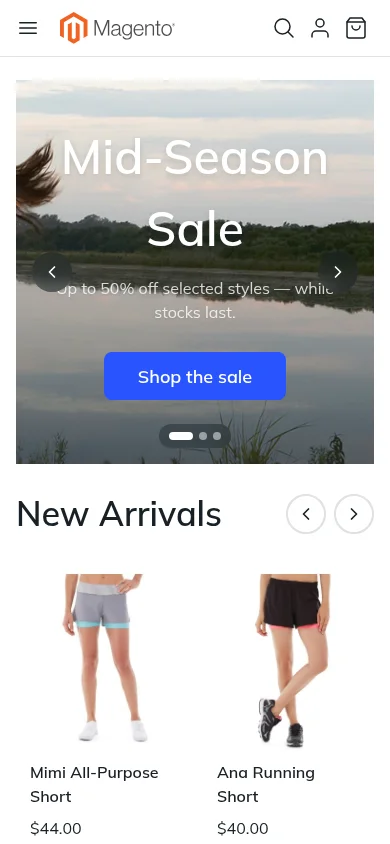
Every page is designed for phones, tablets and desktops. On phones the menu opens from a button, filters slide in from the side, and the account menu becomes a dropdown.
Languages and currencies
Text shown to shoppers uses Magento's own translations, so a store view in another language is translated with the language packs you already use. Prices follow the currency the shopper picks.
Right-to-left languages such as Arabic, Hebrew and Persian are fully supported. The whole storefront mirrors automatically for those store views, using the same design. See Right-to-left Languages.