
Appearance
Customer Account
Signing in
The store includes every sign-in page Magento offers: sign in, create an account, forgot password, set a new password from the email link, and the page shown after signing out. Error and success messages are Magento's own.
When an admin uses Login as Customer, the store opens the customer's account directly.
The account area
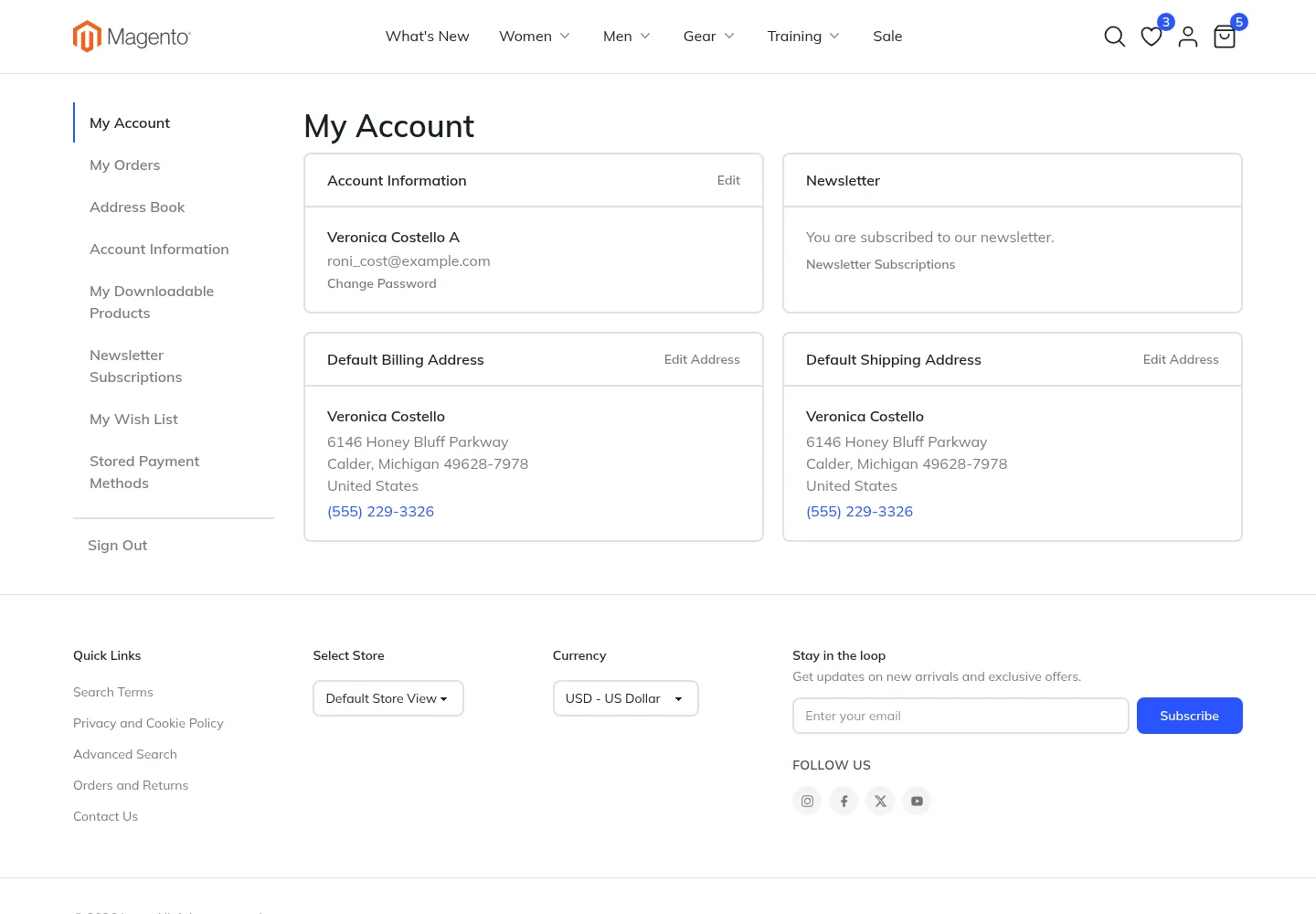
The account menu sits on the side on desktop and becomes a dropdown on phones. It contains:
- My Account: contact information, newsletter status and default addresses
- My Orders: the order history
- Address Book: saved addresses, with forms to add and edit them
- Account Information: name, email and password
- My Downloadable Products: purchased downloads
- Newsletter Subscriptions
- My Wish List
- Stored Payment Methods: saved cards and payment accounts
Orders
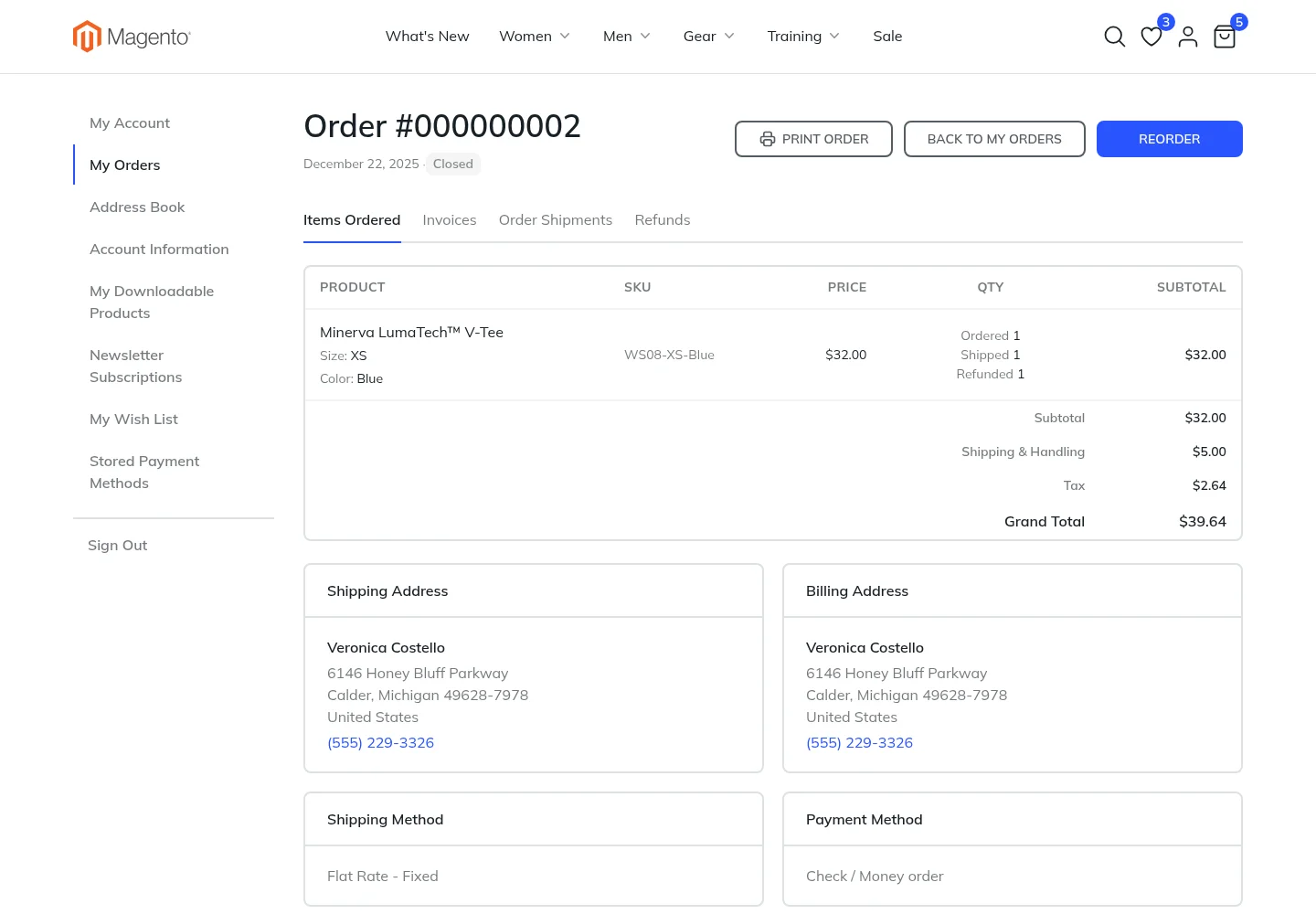
The order page shows the items with their options, the totals, the addresses, the shipping method and the payment method. When an order has invoices, shipments or refunds, tabs switch between them. Shipments show their tracking numbers.
- Reorder puts the same items back in the cart.
- Print Order, Print All Invoices, Print All Shipments and Print All Refunds print the current tab with the browser's own printing.
- Each invoice, shipment and refund also has its own Print button to print just that document.
The printout leaves out the header, the footer, the menu and the buttons, and adds your store logo at the top.
Orders and Returns for guests
Guests find their order through Orders and Returns, linked in the footer of the default design. They enter the order number, the billing last name, and the email or ZIP code used for the order. They then see the same order page as customers, with tabs and printing.