
Appearance
Product and Search Blocks
These blocks show products from your catalog. Prices, stock and images always come from Magento, so they stay up to date without editing the page.
Product Carousel
A horizontal row of product cards with arrows, for sections such as "New Arrivals" or "Featured".
| Setting | What it does |
|---|---|
| Title | Heading above the row |
| Products | Where the products come from: Recently Added, New Products (products within their "Set Product as New" dates in the catalog) or SKUs |
| SKUs | When Products is set to SKUs, the SKUs to show, separated by commas, in that order |
| Max Items | Maximum number of products |
| Columns (desktop) | Number of cards visible at once on large screens |
| Show Arrows | Previous and next arrows |
Bestsellers
A row of your best-selling products.
| Setting | What it does |
|---|---|
| Title | Heading above the row |
| Period | Which sales count: Last 30 days, This year or All time |
| Max Items | Maximum number of products |
| Columns (desktop) | Number of cards visible at once on large screens |
| Show Arrows | Previous and next arrows beside the heading |
INFO
Bestsellers come from Magento's Bestsellers report. If the row is empty, refresh the statistics in Reports › Statistics › Refresh Statistics, or make sure Magento's cron is running.
Product Listing
The product grid of a category page, with filters, sorting and pages. It is available on the category page.
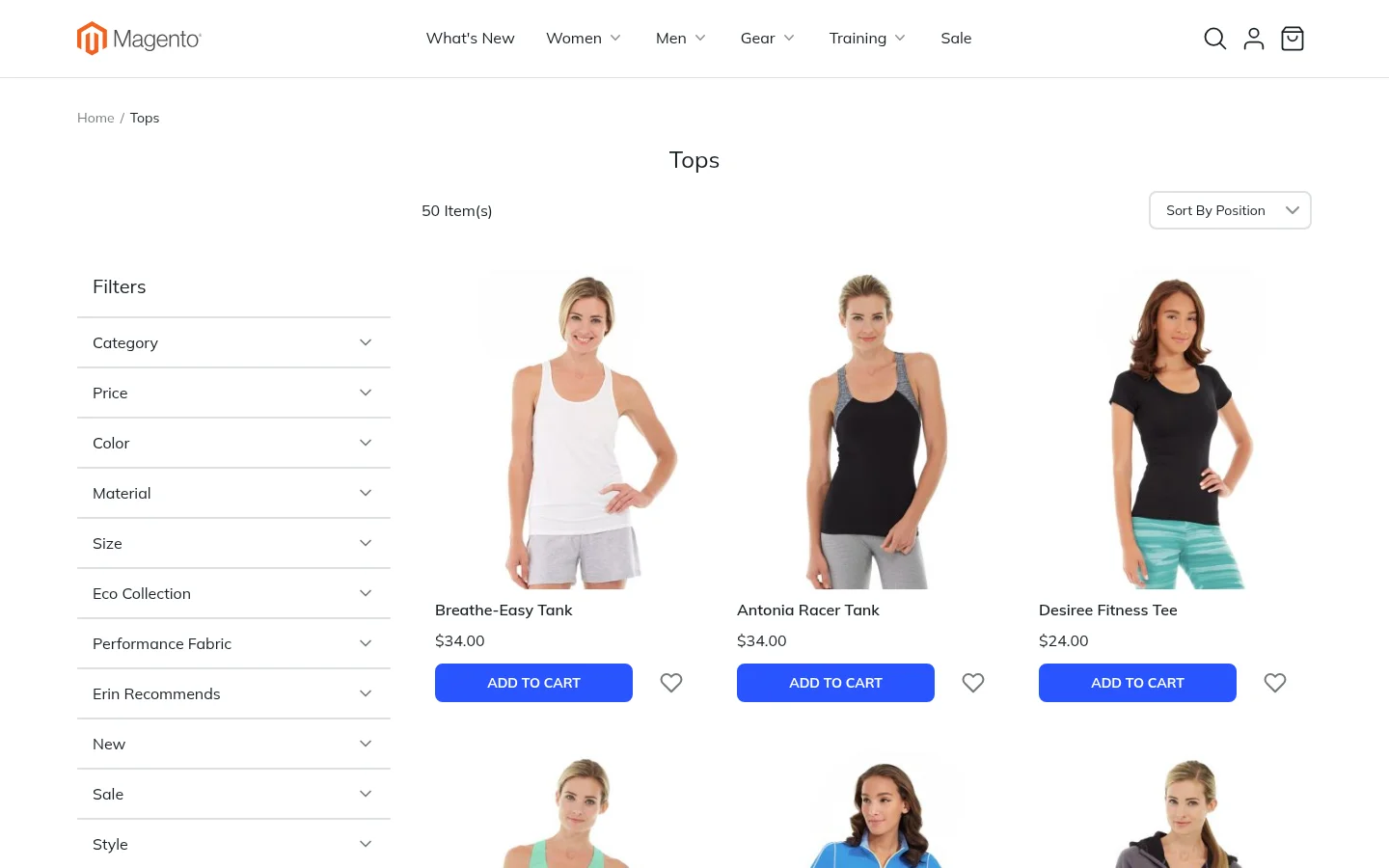
| Setting | What it does |
|---|---|
| Columns (desktop) | Number of product columns on large screens |
| Products per Page | Number of products per page |
| Show Toolbar | The sorting and filter bar above the grid |
| Swatches on Cards | Shows color and size options on the cards of configurable products, so shoppers can pick a variant and add it to the cart straight from the list |
| Show Add to Cart | The Add to Cart button on each card |
| Show Wishlist | The wish list heart on each card |
| Show Discount Badge | A percentage-off badge on products on sale |
| Discount Badge Position | The corner of the image the badge sits in |
The filters are the attributes you marked as filterable in the catalog, and the sort options are Magento's own.
Search Results
The same grid for the search results page, with the same settings apart from the toolbar.
Advanced Search Form and Results
The advanced search page shows one field for every attribute marked Use in Advanced Search in the catalog: text fields, price ranges and dropdowns. You can set the form's Title and Intro Text. The results page shows a product grid with Columns and Products per Page settings.
Popular Search Terms
The terms shoppers search for most, each linking to its results. Popular terms appear bigger and bolder.
| Setting | What it does |
|---|---|
| Title and Intro Text | The heading and an optional introduction |
| Display | Cloud sizes the terms by popularity. A–Z List groups them by first letter. |
| Text Alignment | Start, Center or End |
Product page blocks
Each product type has its own product page, so you can design them separately: simple and virtual, configurable, grouped, bundle and downloadable.
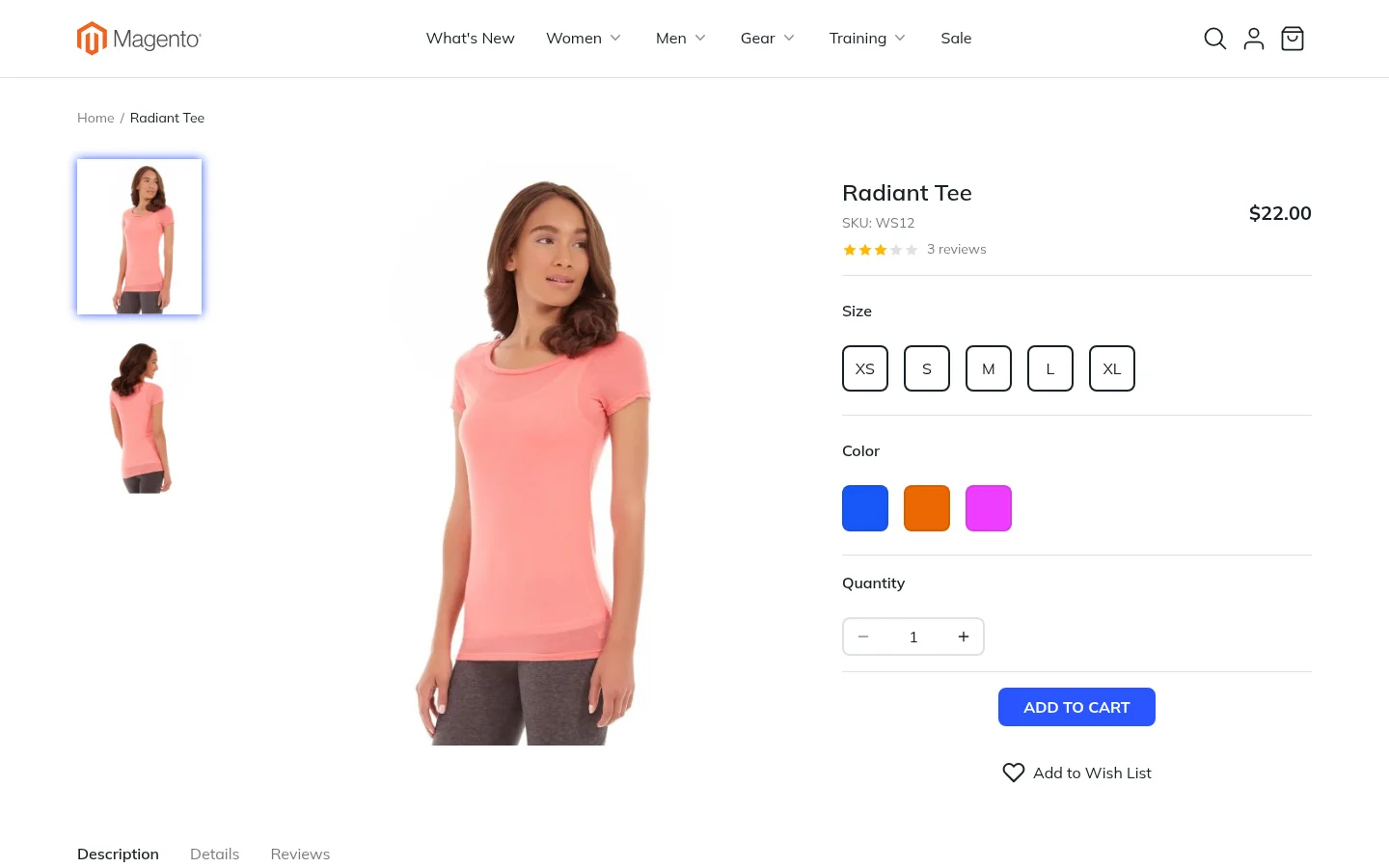
Product Detail
The top of the product page: gallery, name, SKU, rating, price, options, quantity, Add to Cart and Add to Wish List. Each product type has its own version:
| Product type | What the block adds |
|---|---|
| Simple and virtual | The standard layout |
| Configurable | Color swatches and size tiles. Picking an option updates the images and the price. |
| Grouped | Every product in the group, each with its own price and quantity |
| Bundle | The options the bundle is built from, a price range before anything is picked and a running total after |
| Downloadable | The links that can be bought, each priced separately when sold separately, and the samples shoppers can open first |
The block always shows the product being viewed. Its settings in the editor are only used for the preview.
Product Description
The product's full description as written in the catalog. It is usually placed in a Tab.
Product Specifications
The "More Information" table: every attribute marked visible on the storefront, with its value for this product.
Product Reviews
Approved reviews with their ratings, and the form to write one. It follows the store's review settings: it is hidden when reviews are switched off, and guests see a sign-in notice when only customers may write reviews. Reviews shown sets how many of the newest reviews are listed.
Product Custom Options
The custom options you added to the product in the admin, such as text fields, dropdowns, file uploads and dates, with their prices.